Swipe to type.
Glide across the keys and ZingType finds the word — ranked by the language you’re writing in.
hello


Stop pecking at glass. Say it, and ZingType writes it — up to 3.7× faster than your thumbs*, in any language, polished by AI, entirely on your iPhone.
Your keyboard
ZingType replaces your keyboard in every app. Type, swipe or tap the mic — whatever’s fastest right now.
Tap the mic
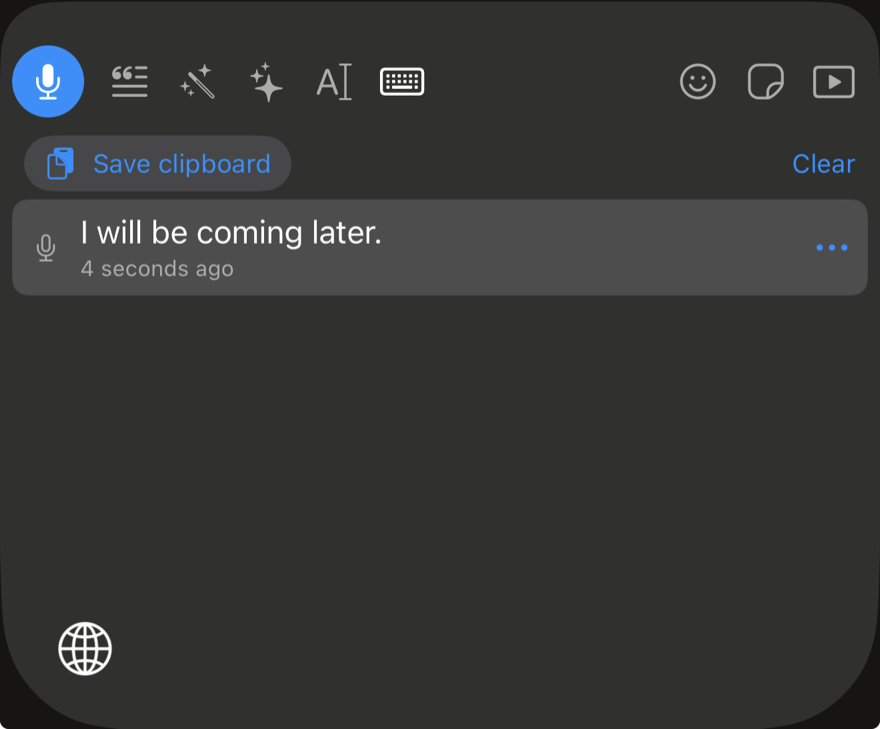
One tap and dictation starts. It keeps going in the background, right there in the Dynamic Island, until you end it.
Talk naturally
Speech recognition runs on your iPhone. Switch languages mid‑sentence — ZingType splits at the pause and gets each part right.
Polish it
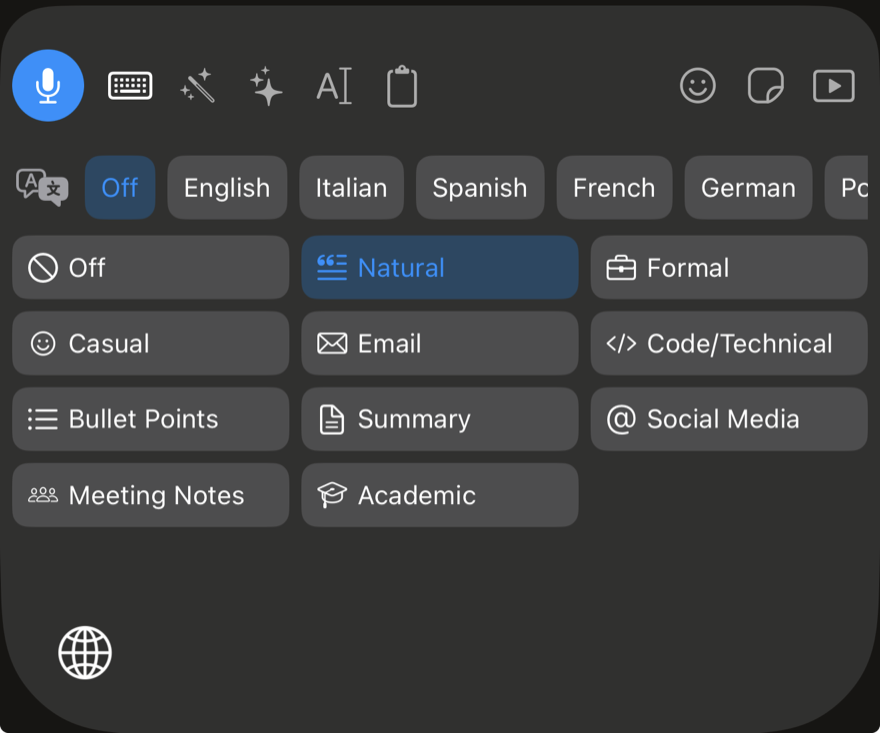
Natural, Formal, Casual, Email, Bullet Points — or your own styles. AI cleanup happens on device.
Translate
Translate what you wrote while you type in any app, with languages downloaded right to your iPhone.
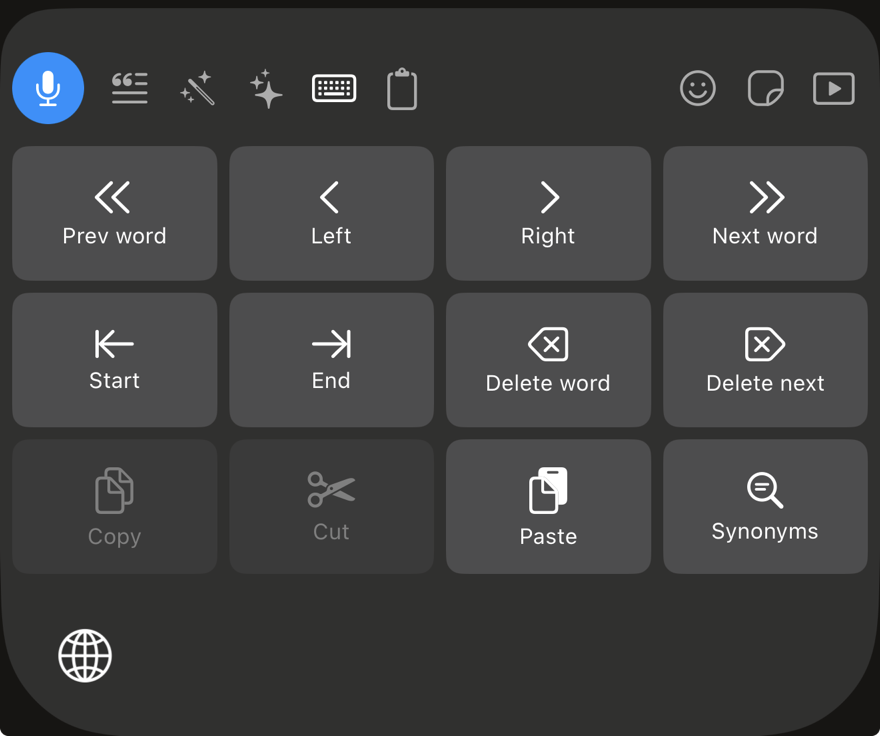
Styles, Ask, editing, history, GIFs and stickers live right in the keyboard — no app switching, no copy‑paste.
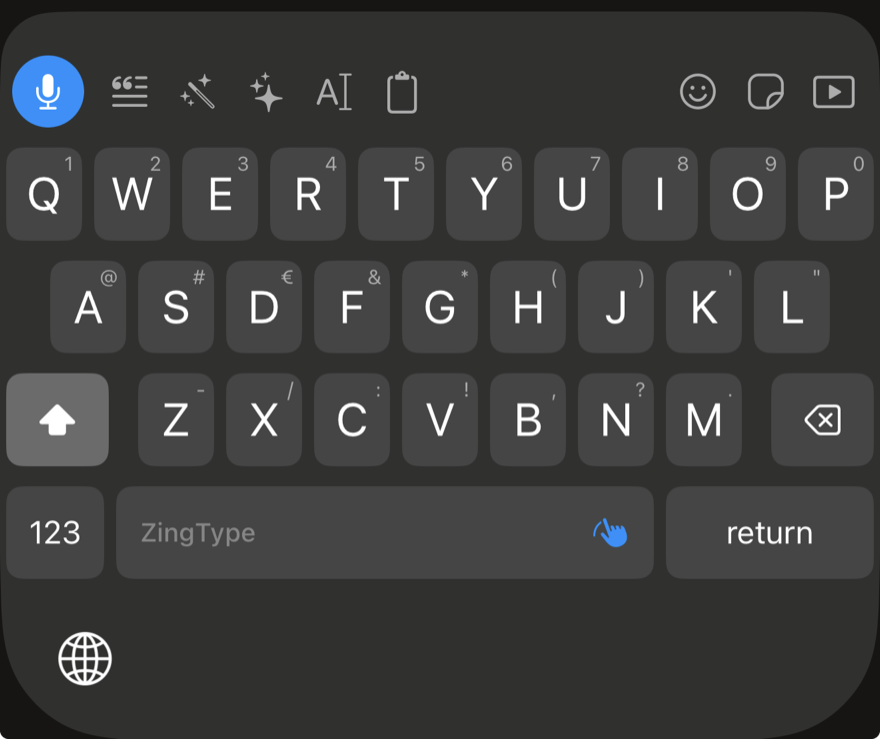
Swipe or tap, with symbols on every key and suggestions that learn how you write — on your iPhone.
Thumbs were never built for long messages. ZingType lets you say it — and keeps count of the time you get back.
* The same estimates ZingType uses for the “time saved” in its Statistics: about 130 words per minute speaking versus about 35 typing on a phone. Your statistics stay on your iPhone and are never synced.
ZingType is your system keyboard, so voice typing works almost everywhere you can type — no copy‑paste, no separate app to write in.
Reply in seconds while you walk, cook or carry the shopping.
Ramble it out, tap Email, and send something you’d sign.
Catch the thought before it’s gone. Bullet Points tidies it up.
Formal when it counts, without rewriting a word.
Write to family and colleagues in their language — and yours.
GIFs, memes and your own stickers, right in the keyboard.
Everything you expect from the keyboard you use all day. Plus a few things you’ll wonder how you lived without.
Glide across the keys and ZingType finds the word — ranked by the language you’re writing in.
hello
Predictions and autocorrect learn the words and phrases you use and bring them up first. Across every language on your iPhone, with no switching. Never synced, and nothing is collected in password, code or card fields.
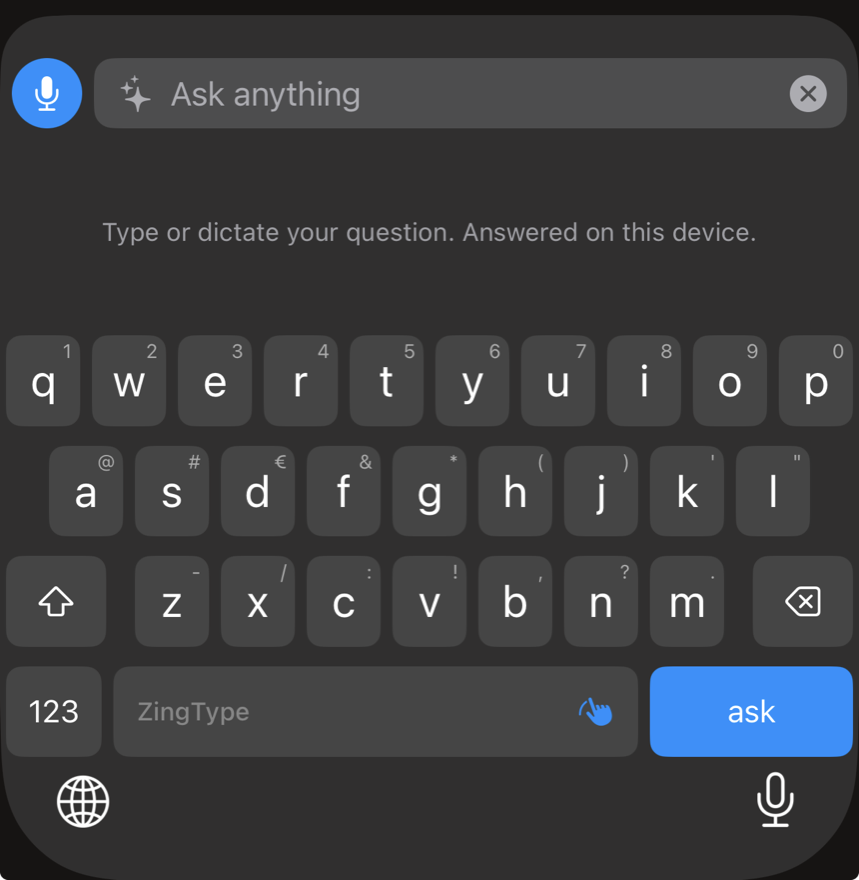
Type or dictate a question to the on‑device AI.
Use the built‑in styles or write your own instructions. They show up in the keyboard, ready to tap.
Search them without leaving the keyboard. Emoji search speaks 14 languages.
Turn any photo into a sticker — the subject is cut out automatically. Or create one with Image Playground on iPhones with Apple Intelligence.
Begin dictating from Control Center, the Lock Screen or the Action Button. While a session runs, it lives in the Dynamic Island.
Custom themes, down to the corner radius of every key.
Recent dictations and copied text, one tap away in the keyboard. Kept on this device.
Teach it the names and words that matter to you. Syncs with iCloud, if you want.
Speech recognition, AI cleanup and everything the keyboard learns from your writing happen on device. That’s not a setting. It’s how ZingType is built.
iOS lets a keyboard talk to its app and to the internet only with Full Access. ZingType needs it to exchange data with the ZingType app for dictation, stickers and history, and to reach KLIPY for GIFs, memes and stickers. Nothing you type is sent anywhere, apart from the words you choose to search GIFs, memes and stickers with.
ZingType walks you through it the first time you open it.
Go to Apps → ZingType → Keyboards.
Switch on ZingType and Allow Full Access.
In any text field, hold 🌐, choose ZingType and tap the mic.
Unlimited dictation costs you nothing. When you want more, unlock ZingType Pro with one purchase — no subscription, ever.
US price; local prices vary. Writing styles, Ask, Rewrite and voice editing need an iPhone with Apple Intelligence (iPhone 15 Pro and later).
ZingType is a keyboard for iPhone that writes with your voice. You can type, swipe or dictate in any app, then polish or translate what you wrote with one tap.
No. Speech recognition, AI cleanup and everything the keyboard learns happen on your iPhone. There is no account, no server, no tracking and no ads. The only words that leave the device are the ones you choose to search GIFs, memes and stickers with.
iOS lets a keyboard exchange data with its app and reach the internet only with Full Access. ZingType needs it to share dictation, stickers and history with the ZingType app, and to load GIFs, memes and stickers from KLIPY.
Dictation, suggestions and autocorrect follow the languages set on your iPhone, with no switching. With the Whisper model, ZingType recognises which of your languages you are speaking and can even split a recording that mixes languages.
ZingType is a system keyboard, so it works almost anywhere you can type. iOS always switches to its own keyboard in password fields, and a few apps don’t allow third‑party keyboards. Because iOS does not let keyboards use the microphone, tapping the mic key briefly opens ZingType to start listening; then you go back to your app and keep dictating, with the session shown in the Dynamic Island.
An iPhone with iOS 26 or later. Typing, swipe, dictation, Whisper, translation, GIFs and photo stickers work on all of them. Writing styles, Rewrite, Ask, voice editing and “Create with AI” stickers need Apple Intelligence: iPhone 15 Pro, iPhone 15 Pro Max or iPhone 16 and later (iPad with M1 or later), with Apple Intelligence turned on in a supported language. Without it, dictation gets basic automatic cleanup.
Yes. ZingType is a free download with the full keyboard, unlimited dictation with Apple’s speech recognition, the Natural style, GIFs, memes and stickers. ZingType Pro is a one-time purchase — no subscription — that adds Whisper and mixed-language dictation, every writing style plus your own, translation, Ask and Rewrite, voice editing, custom themes, the sticker maker and iCloud sync.
Yes. Next to the built-in Natural, Formal, Casual, Email and Bullet Points styles you can write your own instructions. They appear in the keyboard’s style panel and run on device.
ZingType is almost here — and your thumbs are going to love the break.